
Website Audit in 2026
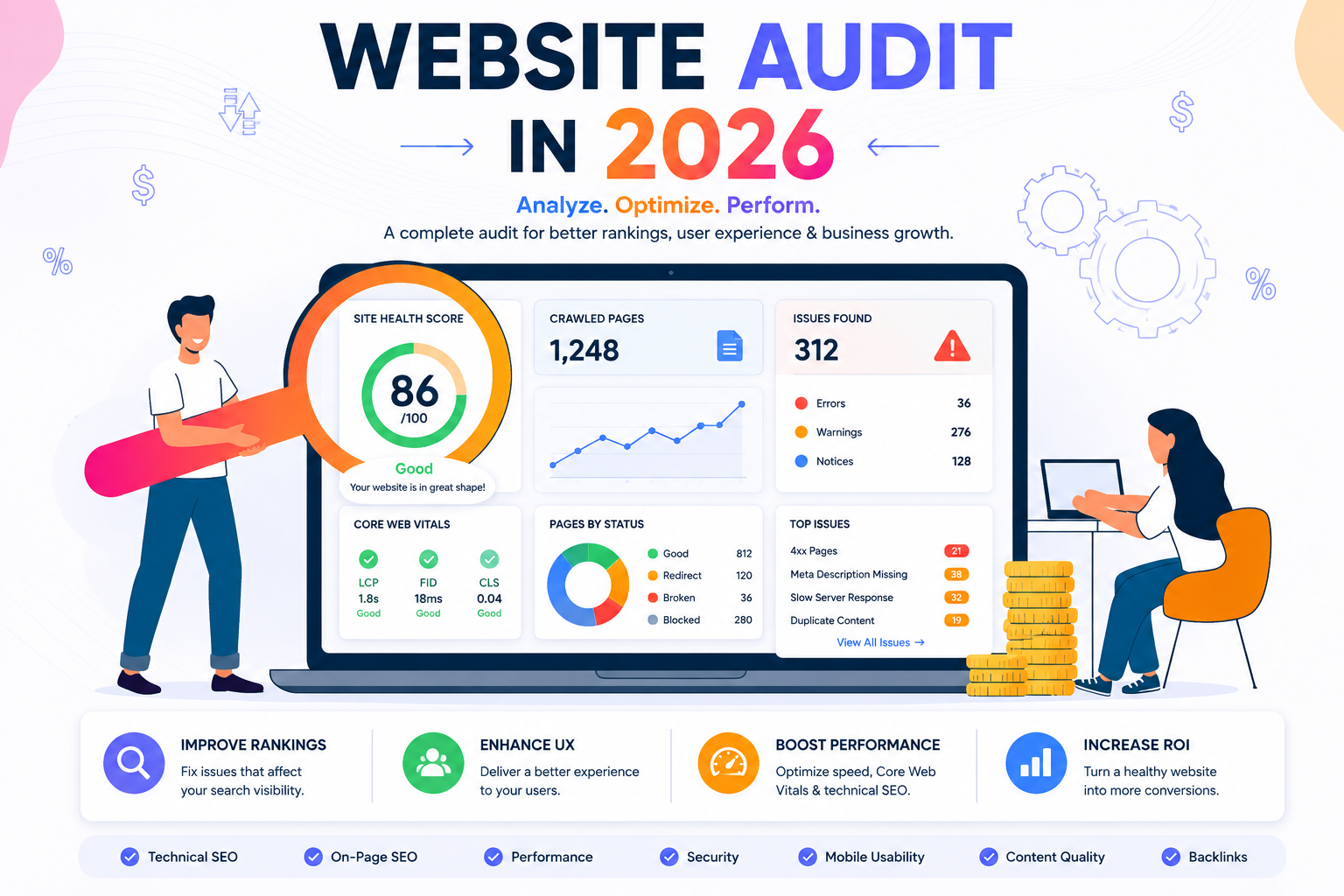
Website Audit in 2026: The Complete Guide to Diagnosing and Fixing SEO Issues
Quick answer: A website audit is a systematic review of a site’s technical health, on-page optimization, content quality, and off-page authority to identify issues holding back search performance and opportunities to improve it. A thorough audit typically covers crawlability, indexability, site speed, mobile usability, content quality, internal linking, and backlink profile — and produces a prioritized list of fixes rather than just a list of problems.
What Is a Website Audit?
A website audit is a structured diagnostic process, not a single check. It examines a site the way a search engine effectively “sees” it — crawling, rendering, evaluating content, and weighing external signals — to surface issues that are actively limiting rankings, traffic, or conversions.
Audits generally fall into a few overlapping categories:
- Technical audits — crawlability, indexability, speed, security, structured data
- On-page/content audits — keyword targeting, content quality, title tags, headings
- Off-page audits — backlink profile quality, toxic links, brand mention consistency
- UX/conversion audits — usability, mobile experience, conversion funnel friction
A comprehensive audit typically touches all four, since issues in one area often mask or compound problems in another.
Why Website Audits Matter
Even well-built sites accumulate issues over time — plugin updates, content sprawl, migrations, and design changes all introduce risk. A regular audit catches problems before they meaningfully affect performance.
Key benefits:
- Early problem detection — catching a broken redirect or accidental
noindextag before it costs months of rankings. - Prioritized improvement roadmap — a good audit doesn’t just list issues, it ranks them by impact and effort.
- Baseline for measuring progress — audits establish a clear “before” state to measure the impact of subsequent fixes against.
- Risk mitigation before major changes — pre-migration or pre-redesign audits prevent costly SEO regressions.
- Cross-team alignment — a documented audit gives developers, content teams, and marketers a shared, prioritized list to act on.
When to Run a Website Audit
- Before a site migration, redesign, or platform change — to establish a baseline and prevent regressions.
- After a sudden traffic or ranking drop — to diagnose the specific cause quickly.
- On a regular schedule (commonly quarterly or biannually) — to catch gradual issues before they compound.
- Before scaling content or paid acquisition efforts — to ensure the foundation can support increased traffic and scrutiny.
- When acquiring or inheriting a new website — to understand its existing SEO health and outstanding issues.
The Core Areas of a Website Audit
1. Crawlability and Indexability
Before anything else, confirm search engines can actually access and index the site’s important pages.
- Review
robots.txtfor accidental blocks on important sections. - Check for unintended
noindextags, especially after migrations or staging-to-production moves. - Review Google Search Console’s Index Coverage report for excluded pages and the stated reasons.
- Confirm XML sitemaps are current, submitted, and free of broken or non-canonical URLs.
- Identify orphan pages with no internal links pointing to them.
2. Site Architecture and Internal Linking
Evaluate whether the site’s structure helps or hinders both users and crawlers.
- Confirm important pages sit within a few clicks of the homepage.
- Check for a logical category and subcategory hierarchy.
- Review internal linking patterns for orphaned or under-linked high-value pages.
- Verify breadcrumb navigation is implemented and paired with appropriate schema.
3. Site Speed and Core Web Vitals
Assess technical performance using both lab and real-world data.
- Review Largest Contentful Paint (LCP), Interaction to Next Paint (INP), and Cumulative Layout Shift (CLS) scores.
- Identify render-blocking scripts, unoptimized images, and excessive third-party tags.
- Compare performance across mobile and desktop, since mobile often lags behind.
- Prioritize speed fixes on highest-traffic and highest-value pages first.
4. Mobile Usability
Confirm the site performs well on the version search engines primarily index.
- Test responsive behavior across common device sizes.
- Check for readable font sizes, adequate tap target spacing, and absence of intrusive interstitials.
- Review Google Search Console’s mobile usability report for flagged issues.
5. On-Page and Content Quality
Review whether existing content genuinely satisfies search intent and remains accurate.
- Audit title tags and meta descriptions for uniqueness, length, and keyword relevance.
- Check heading structure for logical hierarchy and one clear H1 per page.
- Identify thin, outdated, or duplicate content in need of consolidation, refresh, or removal.
- Flag keyword cannibalization where multiple pages compete for the same query.
6. Structured Data
Confirm schema markup is present, accurate, and matched to visible content.
- Validate existing markup with Google’s Rich Results Test.
- Check for schema types matching actual content (Article, Product, FAQPage, LocalBusiness, etc.).
- Identify pages missing structured data that would benefit from it.
7. HTTPS and Security
Verify baseline security signals are properly configured.
- Confirm the entire site serves over HTTPS with a valid, current certificate.
- Check that HTTP traffic redirects cleanly to HTTPS without redirect chains.
- Review for outdated software, plugins, or dependencies that pose security risks.
8. URL and Redirect Health
Review how the site handles duplicate paths and legacy URLs.
- Identify redirect chains and loops that waste crawl budget and slow page loads.
- Confirm canonical tags are implemented consistently and correctly.
- Check for broken internal and external links across key pages.
- Standardize on one preferred format for trailing slashes and www/non-www variants.
9. Backlink Profile
Assess the off-page authority signals pointing to the site.
- Review referring domains for relevance and authority quality.
- Identify toxic or spammy backlinks that may warrant a disavow request.
- Compare backlink profile against competitors to spot authority gaps.
- Check for lost backlinks that could be reclaimed through outreach.
10. Analytics and Tracking Setup
Confirm the data used to measure everything else is actually accurate.
- Verify analytics and Search Console properties are correctly configured and verified.
- Check for duplicate or conflicting tracking implementations.
- Confirm goal/conversion tracking is properly set up and firing correctly.
The Website Audit Process
- Define scope and goals — decide whether this is a full audit or focused on a specific concern (e.g., a traffic drop).
- Run automated crawls — use a site crawler (Screaming Frog, Sitebulb, or similar) to gather technical data at scale.
- Cross-reference with Search Console and Analytics — validate crawler findings against real indexing and traffic data.
- Manually review priority pages — automated tools miss nuance that manual review catches, especially for content quality.
- Document findings with severity and effort estimates — categorize issues by impact (critical, high, medium, low) and implementation effort.
- Build a prioritized action plan — sequence fixes by impact-to-effort ratio rather than working through issues in the order discovered.
- Implement and monitor — track the specific metrics each fix was intended to improve after deployment.
Website Audit Mistakes to Avoid
- Treating an audit as a one-time event — sites and search algorithms both change continuously, making audits an ongoing practice, not a single project.
- Listing issues without prioritization — an unranked list of fifty problems is far less actionable than ten prioritized by impact.
- Relying solely on automated tools — crawlers catch technical issues but miss content quality, intent mismatches, and nuanced UX problems.
- Ignoring the “why” behind a metric — a traffic drop needs root-cause analysis, not just a list of unrelated technical issues found along the way.
- Fixing issues without a baseline — without documented pre-fix metrics, it’s hard to confirm which changes actually moved the needle.
- Auditing content and technical health separately without cross-referencing — issues often compound across categories (e.g., slow pages with thin content perform worse than either issue alone would predict).
The Website Audit Checklist
- Crawlability confirmed via robots.txt and sitemap review
- Index coverage reviewed for unintended exclusions
- Site architecture and internal linking evaluated
- Core Web Vitals measured and prioritized by page value
- Mobile usability tested across common devices
- Title tags, meta descriptions, and heading structure reviewed
- Thin, outdated, or cannibalizing content identified
- Structured data validated and gaps identified
- HTTPS and redirect health confirmed
- Backlink profile reviewed for quality and toxic links
- Analytics and tracking setup verified for accuracy
- Findings documented with severity and prioritized action plan
How to Measure Website Audit Impact
| Metric | What It Tells You | Where to Check |
|---|---|---|
| Index coverage trend | Whether crawlability/indexability fixes worked | Google Search Console |
| Core Web Vitals scores | Whether speed fixes improved real-world performance | Search Console, PageSpeed Insights |
| Organic traffic trend | Overall impact of audit-driven fixes | Google Analytics, Search Console |
| Rankings for previously flagged pages | Whether content/on-page fixes improved visibility | Rank trackers |
| Referring domain quality trend | Whether backlink cleanup or outreach improved authority | Ahrefs, SEMrush, Moz |
Compare metrics against the pre-audit baseline over a period of weeks to months, since technical and content fixes typically take time to fully reflect in rankings.
Where Website Audits Are Heading
- AI-assisted auditing: tools increasingly use AI to automatically prioritize findings by likely impact, reducing manual triage time.
- Continuous auditing over periodic snapshots: more teams are moving toward always-on monitoring and alerting rather than scheduled quarterly audits alone.
- Expanded scope for AI search visibility: audits increasingly need to assess structured data quality and content extractability, not just traditional technical and on-page factors.
- Integrated cross-functional reporting: audit findings are increasingly shared across SEO, engineering, and content teams in unified dashboards rather than siloed reports.
Final Takeaway
A website audit is how you find out what’s actually happening beneath the surface of your rankings and traffic — not guesses, but a documented, prioritized picture of what’s working and what’s quietly holding performance back. Run audits regularly, prioritize fixes by real impact, and track the specific metrics each fix was meant to move, and audits become one of the highest-leverage habits in any ongoing SEO program.